Troubleshooting
Verifying base game files
The client relies on a working base game installation. If you experience odd behavior, verify your game files through the store you purchased the game from:
For problems with the client installation itself, use the launcher's repair option instead, see Repairing or uninstalling.
Warning
We try to avoid loading installed SP mods, but if you have a heavily modded game, we recommend testing with a clean / second install
Logs
The client writes two log files for each session. The primary log contains
everything the framework does. A second log file with a _cef suffix holds
the messages specific to the CEF overlay.
You can open the log directory directly from the in-game console (F8) via File → Open Log Folder:
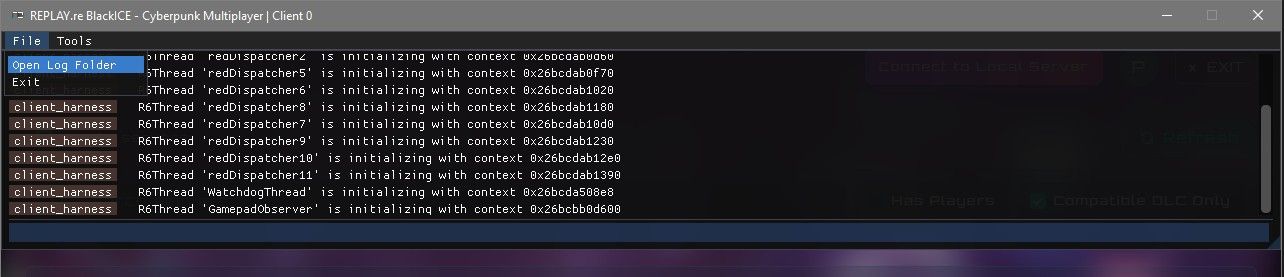
When reporting an issue, always include at least the primary log file.
Crash dumps
Crashes are captured automatically. The client creates minidumps via crashpad, which are uploaded to our self-hosted Sentry instance so we can group and prioritize problems. Each report includes the current log file.
Previous reports remain available locally under: